AMAPI: Configure Android Management API Integration
The Android Management API page, available in the Settings section, under Android Settings, allows you to provide information required to integrate KACE Cloud with the Google Android Management API (AMAPI). Before you configure the settings appearing on this page, you must first create and configure a Google Console project. For details, see AMAPI: Set up a Google Console project
Before you get started, you must obtain the following information from your Google Console project:
- Google Project ID
- Google Service Account Name
- Secret Key
- Enterprise ID
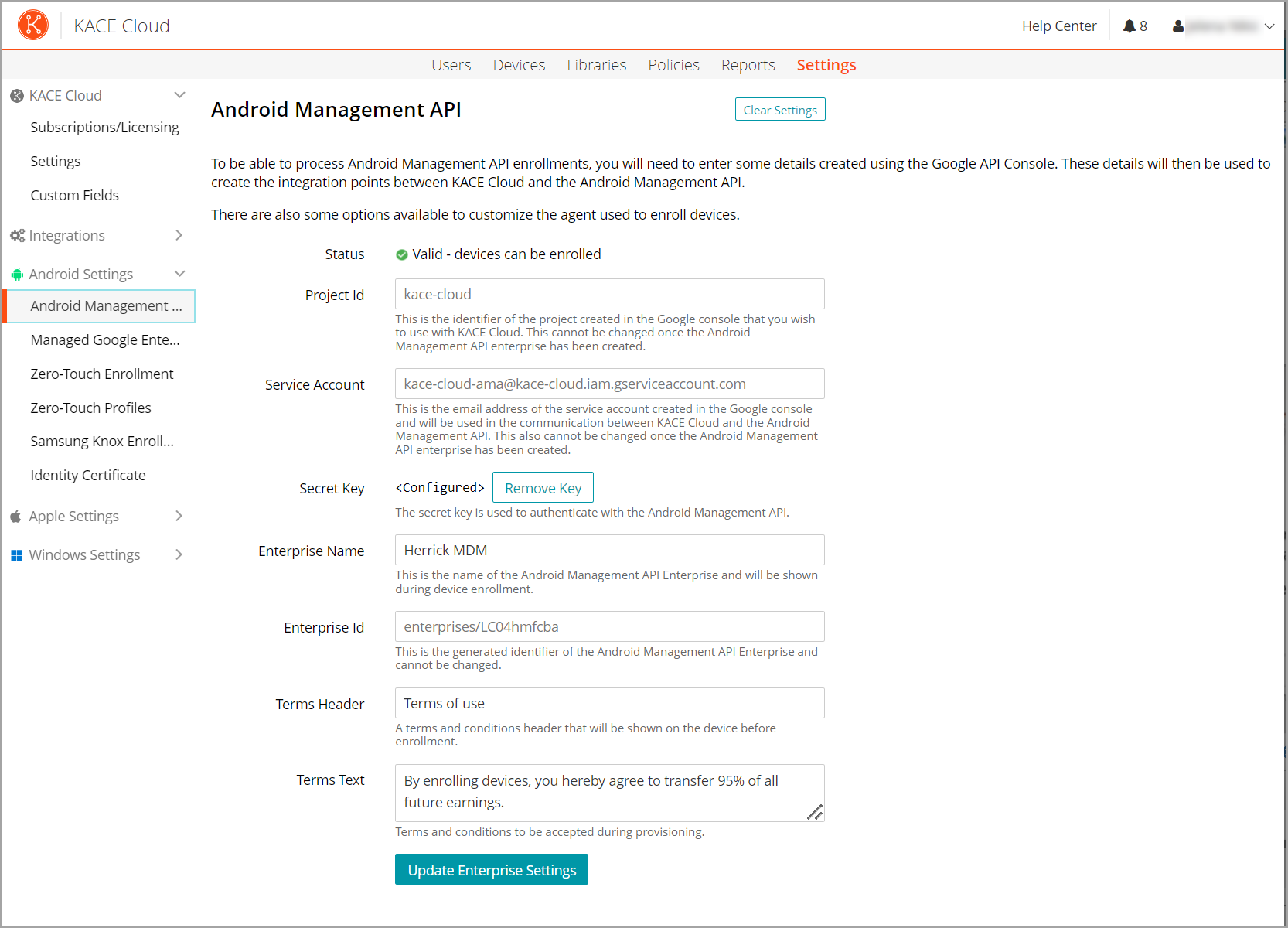
To configure Android Management API integration:
- Log in to KACE Cloud and go to Settings.
- In the left-hand panel, choose Android Settings > Android Managment API.
- On the Android Management API page complete one of the following steps:
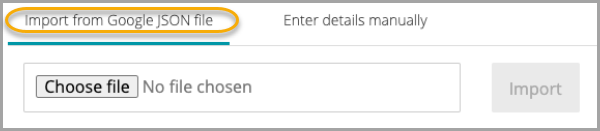
- Select Import from Google JSON file, select the generated JSON file, and click Import.
- Select Enter the details manually and type the required settings:
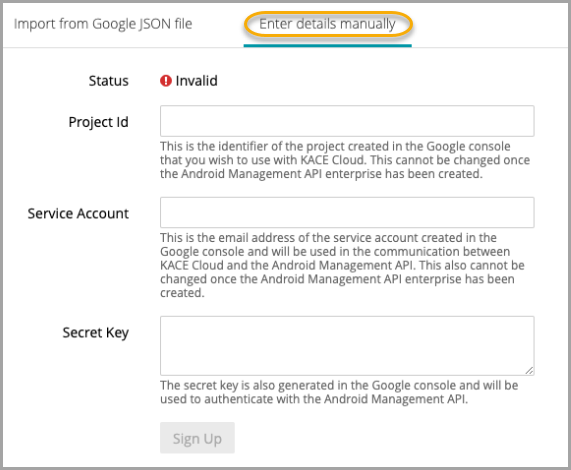
Setting Description Project Id The Project ID from your Google Console project. For details, see AMAPI: Set up a Google Console project. Service Account The Service Account from your Google Console project. For details, see AMAPI: Set up a Google Console project. Secret Key The contents of the private_key field from the JSON file that was downloaded during the creation of the Google Console project. Include the entire private_key field contents, from -----BEGIN PRIVATE KEY----- to -----END PRIVATE KEY----- (you can include the newline '\n' characters). For details, see AMAPI: Set up a Google Console project. - Select Import from Google JSON file, select the generated JSON file, and click Import.
- Click Sign Up.
- In Google, provide the required information to validate your account.
- On the Android Management API page, specify the remaining settings.
Setting Description Enterprise Name Your enterprise name. Enterprise Id The Enterprise ID from your Google Console project. For details, see AMAPI: Set up a Google Console project. Terms Header The header of your enterprise terms. Terms Text The text of your enterprise terms. - When done, click Create Enterprise.
Next steps
- Optional. Integrate with automated enrollment providers:
- Enroll your Android devices.
- If your target devices need to use certificates, install the KACE Cloud AMAPI Companion app.